What we sell
Monthly employee seats, AI Smart and AI Smart Pro software entitlements.
Multichannel cross-border customer service and team collaboration
Connect Facebook, Instagram, LINE and Telegram with multiple accounts and team collaboration for cross-border customer support, smart translation, customer follow-up and CRM.
Standard SaaS software · Windows workspace
泰安朔瓴网络科技有限公司 (Tai'an Shuoling Network Technology Co., Ltd.) directly sells SHUOLING multichannel customer service SaaS subscriptions to business customers. Businesses purchase monthly employee seats or AI Smart / AI Smart Pro AI add-on plans. Each payment corresponds to a specific software service order; successful payment activates the software entitlements for the corresponding business account.
Monthly employee seats, AI Smart and AI Smart Pro software entitlements.
Eligible business customers purchase a defined service period and software entitlements for their business. Every payment corresponds to a specific product order.
The business submits a refund request → SHUOLING checks the original order and service usage → the request is reviewed under the Refund & Cancellation Policy → eligible refunds normally return through the original payment channel to the original payer. Refunds concern specific SaaS service orders and are not unconditional.
Four supported channels bring scattered customer inquiries into one workspace.
Handle customer messages across multiple Facebook Pages.
Manage inquiries across multiple Instagram Professional Accounts.
Connect Telegram Bots for customer service.
Connect your existing LINE Official Accounts.
WhatsApp Coming soon · Not currently supported
SHUOLING Customer Service brings multiple overseas communication channels into one workspace, helping cross-border businesses manage customer conversations, assign agents, follow up leads and maintain customer relationships. It supports multi-account access, team collaboration, quick replies, smart translation, customer management, sales opportunity insights and analytics.
Connect multiple Facebook, Instagram, Telegram and LINE accounts.
Create support staff accounts and assign channel accounts to the right people.
Each channel account has one staff member responsible at a time, avoiding conflicting replies.
An agent can handle assigned accounts across platforms from one workspace.
Identify customers, source platforms and business accounts. CRM Lite, basic reporting and advanced business analytics depend on enabled features.
Text, images, video, voice, emoji and files are available according to each platform’s actual capabilities. Supported formats vary by channel.
The current client is available for Windows, bringing together conversation lists, unified chat, platform sources, account names and staff handling.
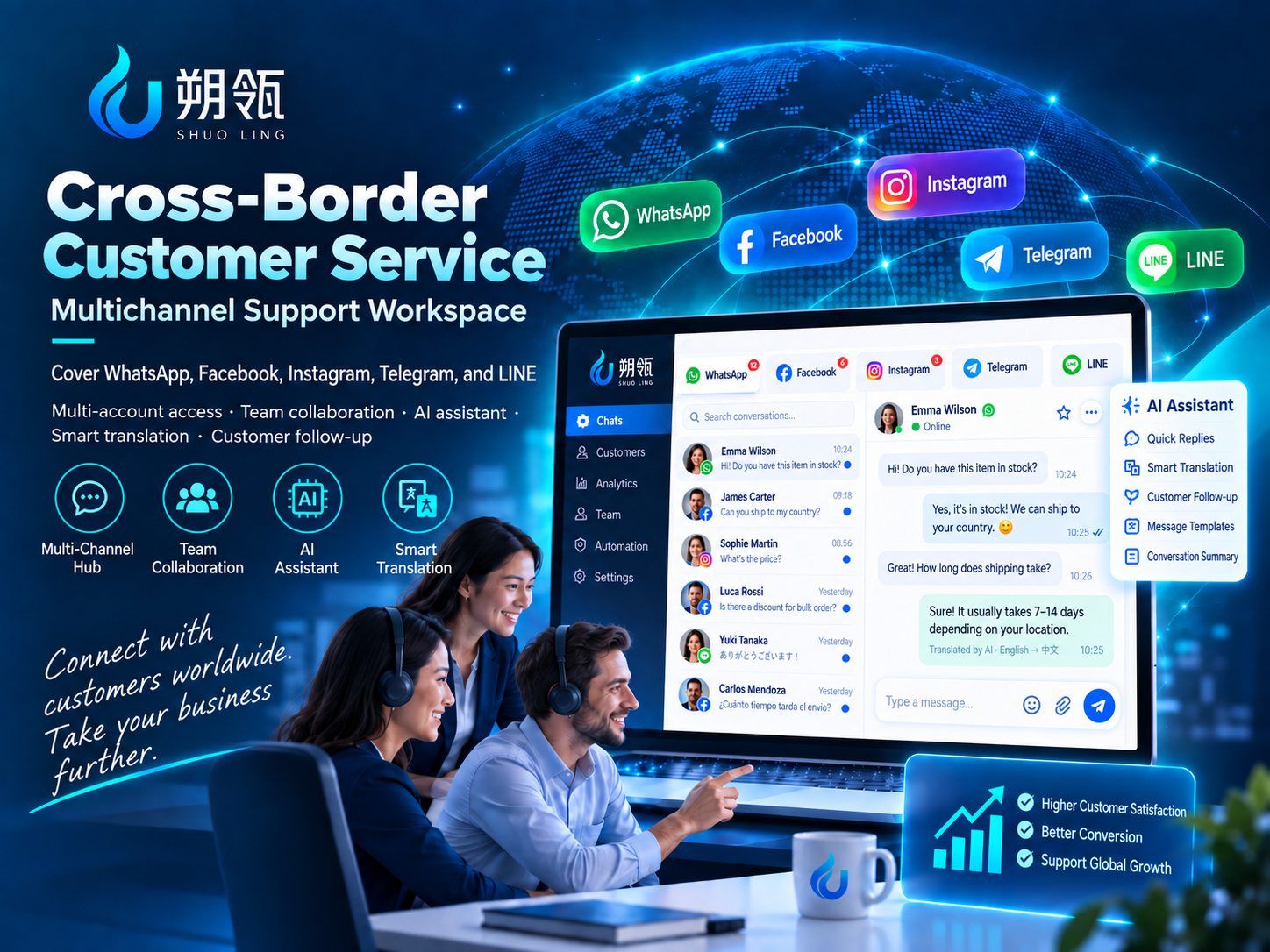
Feature illustration · Not a product screenshot
Connect channels, create staff accounts and organize assignments.
Identify inquiries by platform and business account.
Handle messages for assigned accounts with less switching between devices and platforms.
An example of account assignments, not a plan allowance or billing limit.
Facebook × 10
Instagram × 8
Telegram × 5 · LINE × 3
The business manages assignments. Each account has one owner at a time, and each agent can manage multiple accounts.
Register a SHUOLING business account
Connect Facebook / Instagram / Telegram / LINE accounts
Create support staff accounts
Assign channel accounts to your staff
Handle customer inquiries in the Windows workspace
Purchase the software services you need directly. Production backend prices are not synchronized with this website; confirm the finalized price, service period and allowance in your service order before purchasing.
Price confirmed in your order
/ employee / month
Purchase by employee seat and service period. Base seat fees are not based on the number of connected channel accounts.
Discuss this optionPrice confirmed in your order
AI add-on plan
AI conversation quality assessment, sales opportunity detection, advanced handover summaries and standard AI capabilities. Analysis allowances are shared across the business; historical analysis results can be viewed repeatedly.
Discuss this optionPrice confirmed in your order
AI add-on plan
Includes all Smart capabilities, advanced AI models and advanced business analytics.
Discuss this optionEach payment purchases specific software products, service periods or business entitlements. Confirm the order amount, currency, allowance and service period before paying.
Customers settle LINE Official Account plan or platform fees directly with LINE.
CNY payments use WeChat Pay or Alipay; USD payments use PayPal. Any eligible business may choose the corresponding currency based on available payment methods, without domestic or overseas customer restrictions. Available channels for a production order are shown at checkout.
Choose employee seats or an AI add-on plan
Create a software service order
Choose CNY / USD
Choose the matching WeChat Pay / Alipay / PayPal channel
Review the order and complete payment
Activate the corresponding business software entitlements
PayPal is used to collect fees for SHUOLING SaaS software service orders: monthly employee seats, AI Smart, AI Smart Pro and other SaaS add-on services only after their official launch. We do not provide stored value, wallet top-ups, user-to-user money transfers, funds intermediary services, balance withdrawals or payment collection for third-party merchants through PayPal.
The current website PayPal entry is a PayPal Sandbox test environment. No real money is charged and test payments do not activate production software entitlements. This entry demonstrates USD employee-seat orders only; AI plans and CNY payments are not available through this test entry.
Order reconciliation details include the order number, product name, order amount, currency, payment method, payment status, service period and corresponding entitlements. Retain your original order details for customer and payment-platform verification.
The business submits a refund request → SHUOLING checks the original order and service usage → the request is reviewed under the Refund & Cancellation Policy → eligible refunds normally return through the original payment channel to the original payer. Refunds concern specific SaaS service orders and are not unconditional.
PayPal Sandbox test environment · No real money charged
Try the PayPal Sandbox flowOrganize team access through explicit account assignments.
The business manages staff and channel accounts in one place.
Staff handle their assigned accounts, with one responsible agent per account at a time.
SHUOLING supports multiple channel accounts, centrally assigned to your support staff.
Yes. An agent can be responsible for multiple assigned accounts.
The current model has one responsible agent per account at a time to avoid conflicting replies.
Facebook Messenger, Instagram, Telegram and LINE are supported today. WhatsApp is planned for a future release and is not currently supported.
Yes. You need legitimate accounts or official accounts on the relevant platforms.
You need an existing LINE Official Account with the Messaging API enabled.
Yes. A Windows customer service workspace is available. Contact us to learn how to obtain the client.
Payments are order payments from business customers purchasing SHUOLING SaaS software services. Each payment corresponds to a specific software product, service period or business entitlement.
We do not provide a stored-value wallet or a freely spendable monetary balance. Businesses make a direct purchase of employee seats or AI add-on plans.
Not applicable. We do not provide user monetary balances or user-to-user money transfers. Purchased software entitlements belong only to the corresponding business account and cannot be used to move funds.
We do not provide stored-value wallets, so there is no user balance withdrawal function.
The business submits a refund request → SHUOLING checks the original order and service usage → the request is reviewed under the Refund & Cancellation Policy → eligible refunds normally return through the original payment channel to the original payer. Refunds concern specific SaaS service orders and are not unconditional.
SHUOLING Omnichannel Customer Service is standard SaaS software for cross-border businesses, provided by the company below. Contact us about usage options and the Windows client.
Tai'an Shuoling Network Technology Co., Ltd.
Phone: +86 16653820615
Before using SHUOLING customer service SaaS, read the Terms of Service, Privacy Policy and Refund & Cancellation Policy for seat billing, data handling and cancellation rules.
Facebook, Instagram, Messenger, Telegram and LINE are trademarks of their respective owners. SHUOLING is an independent software service and is not affiliated with or endorsed by these platforms unless explicitly stated otherwise.